
Word Search Game: Offline
otto gamesWord
4.6123.00 Reviews
- Version
- 2.6
- Installs
- 10.00K
- Age Rating
- Everyone
Screenshots
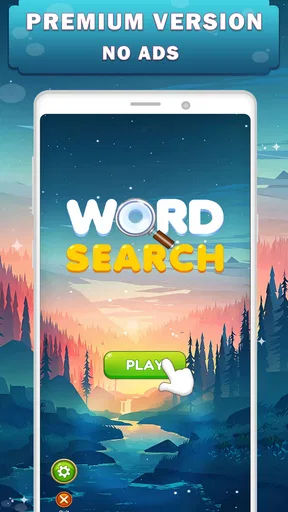
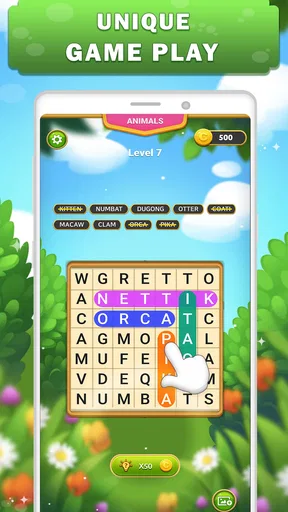
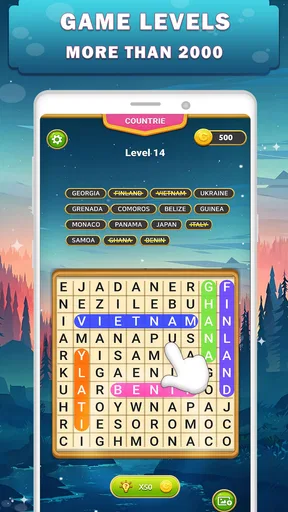
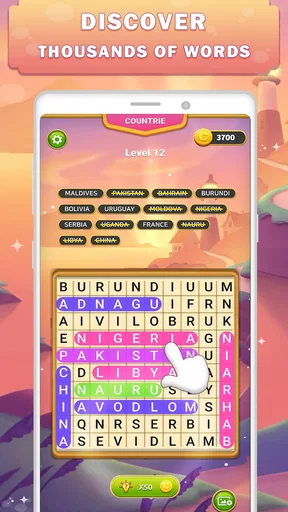
Our Review of Word Search Game: Offline
 Analysis by Appyee
When a word puzzle is easy to pick up and easy to share, it can work well in the small gaps of a family day. Word Search Game: Offline is a word game from otto games, and its simple letter-hunting format makes it approachable for people who want a quiet activity without learning a complicated set of rules. I see its strongest household use as taking turns with a puzzle or letting one person play while others read out possible words—not as a game that needs everyone to be online or playing at once.
A shared puzzle that fits around ordinary routines
Picture a family waiting for food at a café or sitting together during a quiet part of the evening. One person can hold the device and search, while someone else spots a word from across the grid. That kind of informal cooperation suits a word search better than a fast competitive game: players can join in briefly, leave, and return without needing a long explanation. It also gives younger players a low-pressure way to practise looking for letter patterns alongside adults.
For a shared-device session, I would agree on whose turn it is before opening a puzzle. A word search can feel collaborative, but if one person controls every swipe, the others may end up watching rather than participating. Taking turns choosing a word to find, or having one player scan horizontally while another checks diagonals, makes the activity more inclusive without needing a dedicated team mode.
Keep play separate from household account decisions
Offline play is useful when a device is being passed around: a child can work on a puzzle during a journey or while waiting without relying on a live connection. Still, offline does not automatically mean private, ad-free, or free of purchases, so I would treat those as separate questions. Before handing over a phone or tablet, check the device’s purchase settings and make sure the person using it understands that any paid choices should be approved by the account holder.
The game costs $1.99, and it also lists in-app purchases from $0.99 to $3.99 per item. That makes it worth discussing the difference between installing the game and choosing any optional purchase. In a household where several people use one device, a simple rule—ask before buying anything—avoids confusion. I would not assume that offline access changes how the store account handles purchases.
Age suitability and realistic expectations
The Everyone age rating makes the game a plausible choice for a broad range of ages, especially when a child already enjoys spotting words on paper. I would still stay nearby at first if the device is shared, not because the puzzle format is difficult to understand, but because younger players may need help with swiping accurately and with the device’s usual account boundaries. The game’s format is easy to explain: find a listed word in the letter grid and trace it.
Its 4.6 average from around 600 ratings suggests that many players have responded positively, while the roughly 120 written reviews offer a more limited sample of detailed opinions. It has over 10,000 installs, so it is a smaller, more focused option than the biggest word-game names. I would read those figures as context rather than proof that it will suit every household: the best test is whether the people sharing your device enjoy this particular kind of puzzle.
Getting Started with Word Search Game: Offline
First things first, let's talk about accessibility. The app is available for both Android and iOS, which means you can dive into word-searching fun regardless of your device preference. After downloading and launching the app, you're greeted with a clean and intuitive interface—no clutter, no fuss. It’s like stepping into a familiar library where everything is in its right place.
The Gameplay Experience
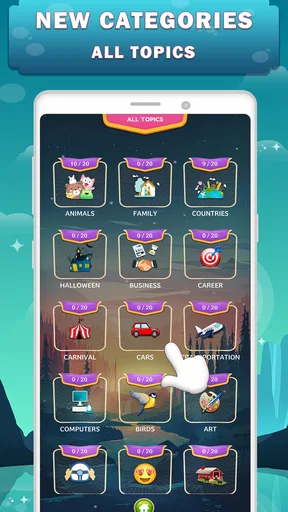
Once you're in, the game offers a wide range of puzzle categories and difficulty levels. Whether you're a beginner dipping your toes into the world of word puzzles or a seasoned pro looking for a challenge, Word Search Game: Offline has something for you. I found myself gravitating towards the "Nature" category, but with themes ranging from "History" to "Pop Culture," there's plenty to explore.
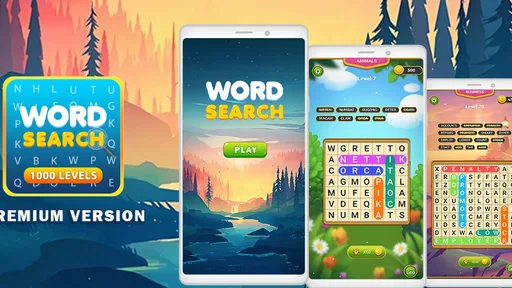
The mechanics are straightforward—simply swipe your finger across the letters to form words. The game highlights your selection, giving you that satisfying "click" when you've spotted a word successfully. It's a simple yet effective way to engage your mind without feeling overwhelmed. And the best part? Since it’s offline, you can play anywhere, anytime, without worrying about Wi-Fi.
Features That Stand Out
What really makes Word Search Game: Offline stand out are its thoughtful features. One of my favorites is the "Hint" option. We've all had those moments when we're stuck on a word and just need a little nudge in the right direction. The hints are like little breadcrumbs leading you to your next discovery, preventing any frustration from setting in.
Another noteworthy feature is the daily puzzle challenge. It keeps things fresh and gives you a reason to return every day. Completing these challenges rewards you with points that can be used for hints, adding a layer of strategy to your play. It’s like having a mini goal each day, keeping the experience fresh and rewarding.
Design and Usability
The app's design is sleek and user-friendly. It's clear that the developers have put a lot of thought into making the user experience as smooth as possible. The background colors are easy on the eyes, and the font selection is crisp, making it easy to differentiate the letters even during extended play sessions.
One thing I particularly appreciated was the lack of intrusive ads. While some free apps bombard you with pop-ups, Word Search Game: Offline keeps them to a minimum, allowing you to stay focused on the game. It’s quite refreshing and enhances the overall experience.
Choosing the right way to play
Word searches are a different sort of word game from crosswords, spelling contests, or word-building games. Here, the challenge is visual scanning: you look for a known sequence of letters rather than having to define a word or make one from a rack of tiles. That makes this a comfortable choice when I want a small mental task without a timer or a lengthy round. If you prefer solving clues, competing directly against another player, or building vocabulary through definitions, a crossword or a head-to-head word game will probably hold your attention better.
A useful way to keep a session engaging is to scan systematically instead of jumping around the board. I tend to look for an unusual first letter, then trace likely directions from each match; with longer words, checking the ends of rows and columns can also reduce aimless searching. If I am stuck, I try one deliberate pass through the grid before using a hint. That keeps hints as a nudge rather than the first move and makes the eventual find feel earned.
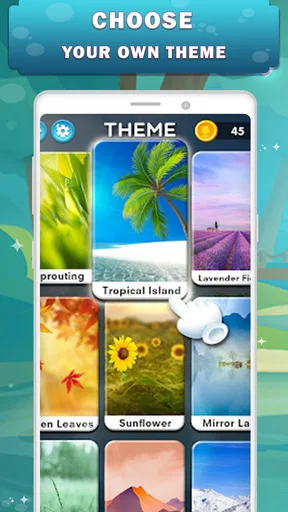
The category choice can also change the feel of a session. A familiar theme is a good starting point when a child or occasional player is joining in, since recognizing the likely vocabulary can make the search less intimidating. A less familiar theme is better when I want the puzzle itself to slow me down. For shared play, I would let each person choose a theme in turn rather than having the most experienced player always set the pace.
When it works—and when it does not
I would recommend this game to someone who likes word searches, wants an activity that can be paused naturally, and values being able to play without Wi-Fi. It also suits short breaks: a few minutes in a waiting room can be enough to make progress, while a longer quiet stretch gives room to work through a puzzle at an unhurried pace. The daily challenge offers a reason to revisit it, but I would treat that as a small routine rather than a demanding streak to maintain.
On the other hand, players who need a strong sense of progression, a social competition, or a constantly changing style of challenge may find the basic word-search format repetitive. The same core action—spot a word and swipe across its letters—is the point, but it is also the main limitation. Hints can soften a difficult moment, though relying on them too often may make the search feel less satisfying. If you want a game built around an evolving story or multiplayer matches, this is not the option I would choose.
There are practical trade-offs as well. The game is listed at version 2.6 and requires Android 7.0 or later on Android devices, so it is sensible to check compatibility before installing on an older phone or tablet. The $1.99 price is a straightforward consideration, but optional in-app purchases mean households should set expectations about spending before sharing the device. I would also avoid assuming that the word “offline” describes every part of the experience; it tells me the core play can work without an internet connection, not that every store or account interaction happens offline.
A calmer household choice, with clear boundaries
For a family, the strongest reason to choose this game is its low barrier to joining in. It can be played alone, passed between people, or turned into a casual spoken team effort without requiring everyone to learn a new control scheme. Its Everyone rating supports that broad appeal, but age labels are only a starting point: the adult sharing the device still decides whether the puzzle and the device’s purchase settings are suitable for the child using it.
My household approach would be simple: choose a turn-taking rule, keep purchases under the account holder’s control, and use the hints sparingly if the aim is to make the puzzle a shared challenge. Those small boundaries matter more than trying to turn a quiet word search into a formal family competition. If one person wants uninterrupted play, it works just as well as a solo pastime; if the group wants coordinated play, a paper puzzle may be easier to gather around because everyone can point to the same page.
My household verdict
As someone who enjoys brain teasers, I find this app to be a delightful way to pass the time. It's perfect for those moments when you need a quick escape or a mental challenge. Plus, it's family-friendly, so you can even share the fun with younger puzzle enthusiasts.
In essence, Word Search Game: Offline is like a trusty companion that’s always ready to offer a mental workout whenever you need it. It's simple, enjoyable, and incredibly satisfying. So, whether you're on a long flight, waiting for an appointment, or just relaxing at home, this app is a fantastic choice to have at your fingertips.
Download it today and dive into the world of words—your next favorite puzzle might be just a swipe away!
Verdict
Strengths of Word Search Game: Offline
- User-friendly interface enhances gameplay.
- Wide variety of word categories available.
- No internet required for offline play.
- Customizable difficulty levels.
- Regular updates with new word puzzles.
Limitations of Word Search Game: Offline
- Contains ads that may interrupt play.
- Limited hints available for difficult puzzles.
- No multiplayer mode for competitive play.
- Graphics are simple and not very engaging.
- Occasional lag on older devices.
Other Releases by otto games
View All
Sudoku Master Premium: Offline
Puzzle4.7

Word Tower - Premium Puzzle
Word4.7
Similar Picks in This Category
View All
Word Search - Word Puzzle Game
Bluetile4.8

Word Search Quest - Puzzles
Blackout Lab4.8

CodyCross: Crossword Puzzles
Fanatee, Inc.4.7

Words of Wonders: Crossword
Fugo Games4.9

Wordscapes: Word puzzle game
PeopleFun4.7

Word Search Explorer
PlaySimple Games4.9
Frequently Asked Questions
What is Word Search Game: Offline and how does it work?
Word Search Game: Offline is a puzzle game designed for both Android and iOS platforms. It offers a classic word search experience where players must find hidden words in a grid of letters. The game features multiple categories and difficulty levels, making it suitable for all ages. Since it's offline, you can enjoy it without an internet connection, perfect for on-the-go entertainment.
Are there any in-app purchases or ads in Word Search Game: Offline?
Yes, Word Search Game: Offline includes in-app purchases and advertisements. While the game itself is free to download and play, players can opt for in-app purchases to remove ads or unlock additional features and categories. Advertisements help keep the game free, but they can be removed with a one-time purchase.
What are the main features of Word Search Game: Offline?
The main features of Word Search Game: Offline include a variety of word categories, different difficulty levels, and a user-friendly interface. It also offers daily challenges, achievements, and leaderboards to enhance replayability. The offline mode ensures you can play anywhere, anytime, without the need for a data connection.
Is Word Search Game: Offline suitable for children?
Yes, Word Search Game: Offline is suitable for children. It offers varying difficulty levels, allowing younger players to start with easier puzzles and gradually challenge themselves with more complex grids. The game is educational, helping children improve vocabulary and concentration skills in a fun and engaging manner.
How does the game handle user data and privacy?
Word Search Game: Offline prioritizes user privacy by requiring minimal data collection. The game primarily uses data for in-app purchases and saving progress. It adheres to standard privacy policies and guidelines, ensuring that any data collected is used responsibly and securely. Users can review the privacy policy within the app for more detailed information.
Play our best games!


